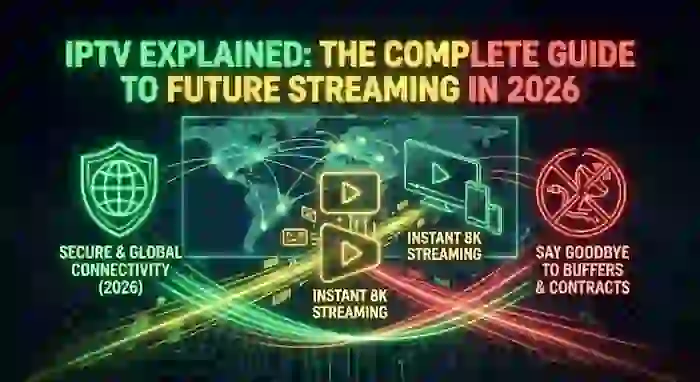
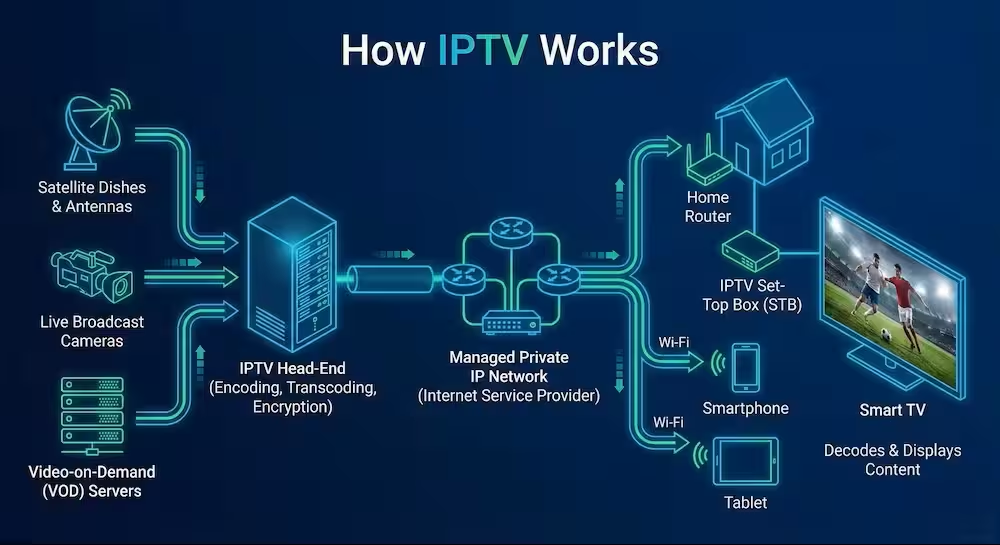
What is IPTV? IPTV stands for Internet Protocol Television. Instead of receiving TV signals via satellite or cable, it delivers content through your internet connection using an M3U playlist or Xtream Codes API.
You open your IPTV app… channels are there, but nothing works properly.
No guide. Buffering every few seconds. Sometimes even the playlist doesn’t load.
This guide explains everything in simple terms — and more importantly, shows you how to fix the most common IPTV problems step by step.
What Internet Protocol Television Really Is
IP-TV allows you to stream live TV channels and on-demand content over the internet instead of traditional cable or satellite systems.
Popular platforms like
Netflix and
Hulu use similar technology, but IPTV playlists give you access to live TV channels worldwide.
IPTV Protocols Explained
Modern IPTV services use several streaming protocols to deliver live channels and video-on-demand content across different devices.
Understanding these protocols helps you troubleshoot buffering, playback errors, and compatibility problems more easily.
HLS (HTTP Live Streaming)
HLS is the most common IPTV streaming protocol today. It uses M3U8 playlists and works well on:
- Smart TVs
- iPhones
- Android devices
- Web players
RTMP
RTMP is an older real-time streaming protocol mainly used for live broadcasting. While still supported in some IPTV systems, it is less common today.
MPEG-TS
MPEG Transport Stream is widely used in IPTV because it offers stable video delivery with low latency.
DASH
MPEG-DASH is a modern adaptive streaming technology similar to HLS and is optimized for high-quality streaming performance.
Which Protocol Is Best?
For most IPTV users in 2026:
- HLS/M3U8 = Best compatibility
- MPEG-TS = Lower latency
- DASH = Better adaptive streaming
👉 If your streams keep failing or buffering, test them using:
What You Actually Need for IPTV to Work
- Playlist (M3U or Xtream Codes)
- IPTV Player (like TiviMate)
- EPG (TV Guide / XMLTV)
👉 Missing EPG? Generate one instantly:
M3U to EPG Converter
M3U vs Xtream Codes: Which IPTV Format Is Better?
When setting up IPTV, most providers give you two connection methods:
- M3U Playlist
- Xtream Codes API
Both allow you to access live TV channels and VOD content, but they work very differently.
| Feature | M3U Playlist | Xtream Codes |
|---|---|---|
| Setup Difficulty | Easy | Very Easy |
| Login Type | URL Playlist | Username + Password |
| Auto EPG Support | Limited | Better |
| Playlist Updates | Manual | Automatic |
| Stability | medium | best |
| Recommended For | Basic users | Modern IPTV apps |
Which One Should You Use?
If you use advanced IPTV apps like TiviMate or IPTV Smarters, Xtream Codes is usually the better option because it automatically syncs channels, EPG data, and categories.
However, M3U playlists are still useful for:
- VLC Player
- Kodi
- Manual IPTV setups
- Stream testing tools
👉 Want to test whether your playlist is active or broken?
Use our free tools:
What is M3U8 in IPTV?
M3U8 is one of the most important streaming formats used in modern IPTV services.
It is based on HLS (HTTP Live Streaming) technology developed for adaptive video streaming. Instead of loading one large video file, M3U8 streams content in small video segments, making playback smoother and more stable.
This format is commonly used for:
- Live sports streaming
- Smart TV IPTV apps
- Mobile streaming
- 4K and adaptive bitrate playback
Why M3U8 Links Stop Working
If your M3U8 stream fails, the issue is usually caused by:
- Expired IPTV links
- Offline servers
- Geo-blocking
- Invalid HLS playlists
- ISP throttling
👉 You can instantly verify whether a stream is alive using our:
👉 Need deeper IPTV diagnostics?
Try:
best iptv app for smart tv Samsung LG and Android TV
- Smartone iptv app
- ibo player, ibo pro player
- tivimate
- net iptv
What is XMLTV and Why Does IPTV Need It?
XMLTV is the standard format used to deliver Electronic Program Guide (EPG) data for IPTV services.
Without XMLTV, your IPTV app cannot display:
- Channel schedules
- Program titles
- Movie descriptions
- Live sports timing
- TV guide information
This is why many IPTV users see the famous:
“No Information”
message inside apps like:
- TiviMate
- IPTV Smarters
- SmartOne IPTV
- XCIPTV
How XMLTV Works
An XMLTV file connects channel IDs with TV schedule metadata. Your IPTV player downloads this information automatically and updates the guide every few hours.
Common XMLTV Problems
- Broken EPG URL
- Invalid channel mapping
- Expired IPTV subscription
- Wrong timezone
- Missing XML formatting
👉 You can generate a working XMLTV guide instantly using our:
👉 Also read:
Common Internet Protocol Television Problems (And Real Fixes)
❌ No Information (Missing EPG)
Fix it here:
TiviMate EPG Settings Guide
👉 Advanced fix:
Custom EPG Sources
👉 Generate XMLTV EPG from your M3U link in one click
❌ Buffering Issues
👉 Fix buffering:
IPTV Buffering Fix Guide
❌ Playlist Not Working
👉 Test links:
M3U8 Checker
👉 Full scan:
IPTV Checker Pro
Best Devices for a Stable Internet Protocol Television Experience
Not all devices handle IPTV the same. From real testing, performance depends heavily on RAM and processing power.
- Amazon Fire TV Stick 4K Max – Best value for most users
- Nvidia Shield TV Pro – Best performance and stability
- Android TV Boxes (4GB+ RAM) – Recommended for heavy usage
Low-end devices are one of the main causes of buffering and crashes — even with a good internet connection.
Why Using a VPN Improves IPTV Stability
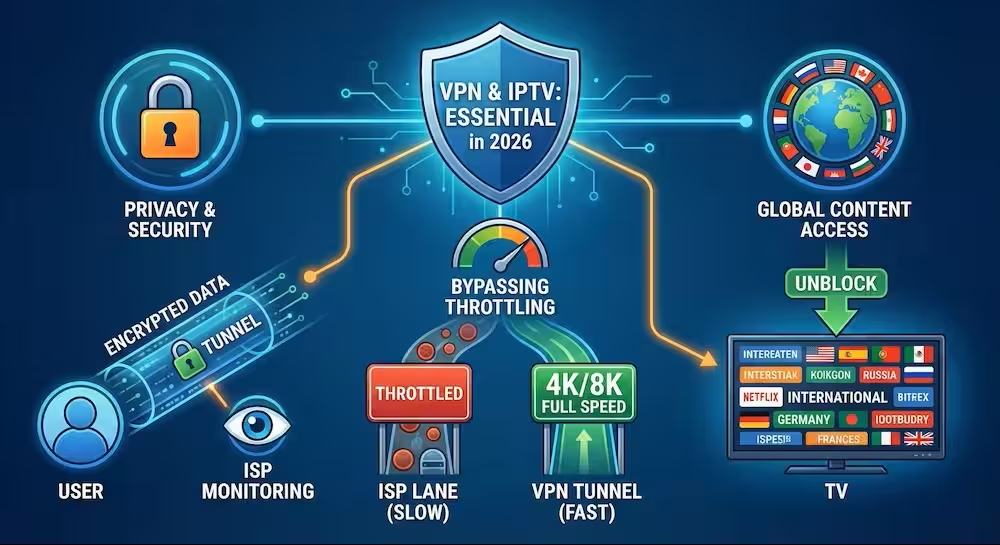
Many ISPs (Internet Service Providers) throttle IP-TV traffic, especially during live sports or peak hours.
A VPN doesn’t just bypass restrictions — it helps stabilize your connection by preventing ISP interference and routing your traffic more efficiently.
👉 Recommended VPNs:
Best VPN for IP-TV
👉 Full guide:
VPN Ultimate Guide
Final Thoughts
IPTV isn’t complicated — but small mistakes can break the entire experience.
From experience, most problems come down to:
- Missing EPG
- Weak playlist
- Wrong device or settings
Fix these, and IPTV becomes smooth and reliable — just like any premium streaming service.
Common IPTV Errors and How to Fix Them
Most IPTV issues are caused by only a few recurring technical problems.
Here are the most common IPTV errors users face in 2026:
| IPTV Error | Main Cause | Quick Fix |
|---|---|---|
| No Information | Missing XMLTV | Generate EPG |
| Buffering | Slow server or ISP throttling | Use VPN |
| Playlist Not Loading | Broken M3U URL | Test playlist |
| Authentication Failed | Wrong Xtream Codes | Verify login |
| Black Screen | Codec issue | Change player |
| Stream Offline | Dead server | Check M3U8 |
| Playback Error | Unsupported format | Update app |
Recommended IPTV Troubleshooting Tools
To quickly identify IPTV problems, use these free tools:
Related IPTV Guides
- How to Fix IPTV Buffering
- How to Fix IPTV EPG Not Working
- TiviMate Firestick Setup Guide
- Best IPTV Apps for Smart TVs
- Custom IPTV EPG Sources
IPTV FAQ
1. What is Internet Protocol Television. and how does it differ from Netflix?
IPTV delivers Live TV channels via the internet. While Netflix focuses on on-demand movies, IPTV gives you real-time access to sports, news, and global networks using an app and a playlist.
2. Is IPTV legal?
The technology is 100% legal. However, legality depends on the source. Official apps (like Hulu) are legal, while some third-party providers may lack proper broadcasting rights. Always check your local regulations.
3. M3U vs. Xtream Codes: Which is better?
- M3U: A simple file or link containing the channel list.
- Xtream Codes: A login-based system (User/Pass/URL). Verdict: Xtream Codes is more stable, easier to update, and highly recommended for modern players like TiviMate.
4. Why is my IPTV buffering or not working?
Buffering is usually caused by ISP throttling, overloaded servers, or slow internet.
- The Fix: Use a VPN to stop ISP interference, increase your app’s buffer size, and ensure you have at least 10-25 Mbps for HD/4K streaming.
5. Why does it show “No Information” (Missing EPG)?
This means your app lacks an Electronic Program Guide (XMLTV). If your provider’s guide is missing, you can use our M3U to EPG Converter to generate a custom guide instantly.
6. Do I really need a VPN for IPTV?
Yes, in many cases. A VPN hides your streaming traffic from your Internet Provider (ISP), which prevents them from slowing down your connection (throttling) during live events.
7. What is the best device for IPTV?
- Best Performance: Nvidia Shield TV Pro.
- Best Value: Amazon Fire TV Stick 4K Max.
- Avoid: Low-end “generic” Android boxes with less than 2GB of RAM, as they cause frequent crashes.
8. How can I test if my IPTV link is active?
Don’t waste time troubleshooting your app if the link is dead. Use our IPTV Checker or M3U8 Tester to verify the status of your playlist instantly.