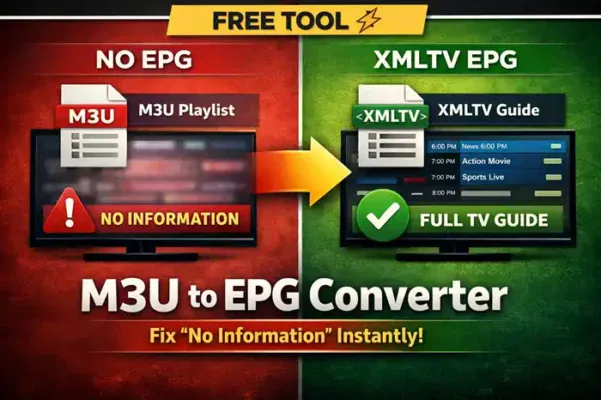
You load your IPTV playlist… channels work perfectly. But every single one shows “No Information”.
This is one of the most common IPTV problems — and it’s not your player. The issue is missing or broken EPG data. Without a proper TV guide, your playlist feels incomplete and hard to navigate.
Our M3U to EPG Converter solves this instantly. Just paste your playlist, and generate a fully working XMLTV URL in seconds — no setup, no complexity.
Use the tool below to generate your EPG instantly:
🔄 URL Converter
⚡ No Registration, No Fees — Just Instant EPG
Unlike other platforms that require accounts or paid subscriptions, this tool is designed to be fast, free, and simple. No login, no hidden limits — just copy, paste, and generate your EPG instantly.
In most cases, the converter extracts tvg-id data from your playlist and builds a compatible XMLTV file. This allows IPTV apps to correctly match channels with program data.
Why This Tool Works Better:
- ⚡ Fast Conversion: Generate your XMLTV link in seconds.
- 🔗 Smart Matching: Automatically links channels using tvg-id when available.
- 📺 Full Compatibility: Works with all major IPTV apps including TiviMate, Smart IPTV, and OTT players.
📺 Improve Your IPTV Experience Instantly
Adding a proper EPG URL transforms your playlist into a real TV interface:
- Program schedules
- Channel categories
- Movie and show descriptions
If you’re using apps like TiviMate and still facing missing guide data, this tool can fix it instantly.
👉 For a complete setup and troubleshooting guide, check this article:
TiviMate EPG Settings: How to Fix “No Information”
🧠 Pro Tips (From Real Use)
- If your playlist has no tvg-id, some channels may not match perfectly.
- Large playlists may take slightly longer to process.
- If EPG doesn’t show immediately, update it manually inside your IPTV app.
🚀 Generate Your EPG Now in Seconds
Stop wasting time with broken guides. Create your XMLTV link instantly and enjoy a complete IPTV experience.
🚀 Explore More Free IPTV Tools
Boost your IPTV setup with our professional tools:
All tools are 100% free. No registration required.
How to Add an EPG URL to Your IPTV Player
Got your EPG URL but not sure how to use it? Learn how to add an XMLTV
EPG URL to popular IPTV players, match channels with tvg-id,
and fix common TV Guide problems.
FAQ – M3U to EPG Converter
1. How do I convert M3U to EPG (XMLTV)?
To convert an M3U playlist to EPG, simply paste your playlist URL into an M3U to EPG converter tool. The tool generates an XMLTV link that you can add to your IPTV app to display program schedules and channel data.
2. How do I fix “No Information” in IPTV?
To fix “No Information”, you need to add a working EPG source (XMLTV). If your provider doesn’t offer one, you can generate it using an M3U to EPG converter and link it inside your IPTV app settings.
3. Why is my EPG not showing in TiviMate?
This usually happens :
- Missing or invalid EPG URL
- Channel ID mismatch (tvg-id)
- Outdated or broken EPG source
Adding a compatible XMLTV link and updating EPG manually often fixes the issue.
4. Can I generate EPG from any M3U playlist?
Yes, but results depend on the playlist quality. If your M3U file includes proper tvg-id data, the generated EPG will be more accurate and complete.
5. What is the fastest way to get IPTV EPG?
The fastest method is using an online M3U to EPG converter. It creates a ready-to-use XMLTV link in seconds without manual configuration.
6. How do I add XMLTV EPG to IPTV apps?
Go to your IPTV app settings → EPG → Add source, then paste your XMLTV URL and update the guide. This works in apps like TiviMate and others.


How could someone get the epg to work on mac portals?
With a Stalker/Ministra MAC portal, the EPG is often supplied by the portal itself. If the portal does not provide programme data for a channel, an external XMLTV URL will only help if the player supports custom EPG sources for portal-based playlists. Some players do not.