How to Use XCIPTV Player on Android: Complete Setup & Login Guide
XCIPTV Player is a popular media player for Android users who want a simple way to organize and play live TV streams,…
Read the full guide →Explore IPTV player options for Samsung, LG, Android TV, Fire TV, Roku, Apple TV, Hisense VIDAA, Android, iPhone, Windows and Mac. Learn how compatible players use M3U, M3U8, Xtream Codes and EPG/XMLTV data.
IPTV player compatibility depends on the application, device model, operating system, region and supported stream format. Select a platform below to explore the relevant guides and resources.

Learn how compatible IPTV players work on Samsung Smart TVs, including playlist formats, EPG data and app availability.
Explore Samsung Guide →
Explore IPTV player setup on LG Smart TVs and learn how webOS apps, playlists and EPG information work together.
Explore LG Guide →
Use compatible IPTV applications on Android TV devices with M3U, M3U8, Xtream Codes and XMLTV EPG data.
Explore Android TV Guide →
Find IPTV player guides for Fire TV and Firestick, including playlist setup, player configuration and EPG troubleshooting.
Explore Fire TV Guide →
Understand IPTV player availability on Roku and how application support can vary by platform, region and service.
Explore Roku Guide →
Explore IPTV player options for Apple TV and learn about playlist, streaming and guide-data compatibility.
Explore Apple TV Guide →
Learn how IPTV application availability can differ across Hisense VIDAA models, regions and software versions.
Explore VIDAA Guide →
Use compatible IPTV apps on Android phones and tablets to load supported playlists and optional EPG information.
Explore Android Guide →
Explore IPTV player compatibility on iPhone and iPad, including supported playlist formats and TV guide data.
Explore iOS Guide →
Learn how IPTV players and media applications on Windows can work with M3U, M3U8 and compatible streaming sources.
Explore Windows Guide →
Explore compatible IPTV player approaches for Mac computers and understand playlist and streaming-format support.
Explore macOS Guide →
Find IPTV player information for Google TV devices and understand how Android-based apps can use playlists and EPG data.
Explore Google TV Guide →* Feature availability can vary by application, device, region and software version.
An IPTV player is the interface used to load and organize compatible streaming information. It normally works together with a playlist or service connection, while optional EPG data provides programme schedules.
IPTV is a delivery method that uses internet connectivity to provide television streams to compatible applications and devices. A player does not automatically supply channels; it generally reads a compatible playlist or connection supplied by the user.
M3U and M3U8 playlists can contain channel information and stream URLs. Some compatible applications also support Xtream Codes-style credentials. When guide data is available, an XMLTV-compatible EPG can provide channel names, programme titles, descriptions and schedules.
This separation is useful when troubleshooting. If a channel does not play, the problem may be related to the playlist, stream response, network, player or device. If the channel plays but the guide shows “No Information”, the EPG URL, XMLTV data or channel mapping may need to be checked.
Different IPTV applications support different playlist and connection methods. These are some of the formats you will encounter when configuring a compatible player.
A text-based playlist format that can contain channel metadata and media stream URLs. Many IPTV players and media applications support M3U playlists.
Check an M3U Playlist →M3U8 is a UTF-8 encoded playlist format commonly associated with HLS streaming. It is useful when playlist data needs UTF-8 character support.
Check an M3U8 Playlist →Xtream Codes-style connections commonly use a server URL, username and password. Compatible applications can use these details to retrieve supported service data.
Check IPTV Data →An IPTV player can display a programme guide when it supports compatible EPG data. XMLTV is a widely used format for representing channels and programme schedules.
A playlist can tell a player which channels or streams are available, but it may not contain complete programme schedules. An EPG adds information such as programme titles, start and end times, descriptions and channel metadata.
Channel matching is important. The channel identifier in a playlist needs to correspond with the identifier used by the XMLTV data for the guide to display correctly. Incorrect mappings are one of the common reasons a player shows “No Information”.
Continue with platform-specific setup, player and EPG resources on IPTV Guide.
Playlist, app and IPTV setup information for compatible Samsung Smart TVs.
Read Samsung Guide →Learn about IPTV applications, playlist configuration and EPG on LG Smart TVs.
Read LG Guide →Learn how Hisense Smart TVs, VIDAA and Google TV models differ, including IPTV app compatibility and EPG support.
Read Hisense TV Guide →Explore the Firestick setup guide and related IPTV player resources.
Read Fire TV Guide →Diagnose missing guide data, XMLTV URLs and channel-matching issues.
Read EPG Guide →Read the newest guides, reviews and setup tutorials from the IPTV Players category.

XCIPTV Player is a popular media player for Android users who want a simple way to organize and play live TV streams,…
Read the full guide →
Short answer: A Samsung Smart TV can run an IPTV player only when a compatible player is available for that specific TV…
Read the full guide →
Discover why SmartOne IPTV is the top choice for Samsung and LG Smart TV owners in 2026. Our hands-on review covers USB…
Read the full guide →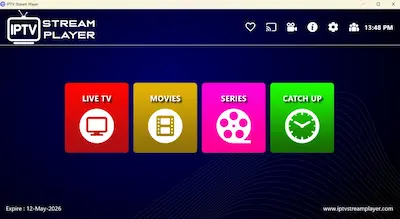
Most IPTV players fail when handling large playlists… they lag, freeze, or crash completely. That’s exactly what I was struggling with—until I…
Read the full guide →
⚠️ Crucial Clarification First Before we begin, it is vital to understand that TiviMate is a premium IPTV player application for Android…
Read the full guide →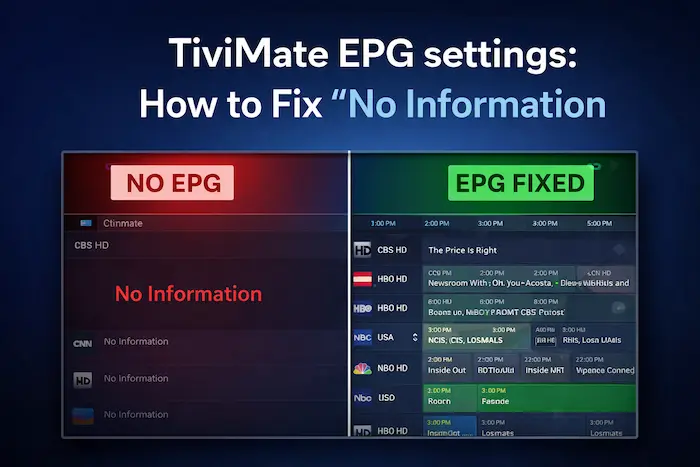
Tired of seeing "No Information" on TiviMate? Don't let a broken EPG ruin your IPTV experience. This guide covers the essential settings…
Read the full guide →Common questions about IPTV players, playlists, Smart TVs and EPG data.
Use the IPTV tools on this site to check compatible playlist information, inspect M3U8 streams, work with EPG/XMLTV data and continue to the platform-specific guides.