Introduction
If you own a Samsung or LG Smart TV, you know the struggle of finding a stable, fast, and feature-rich IPTV player. Enter SmartOne IPTV. Originally designed for Tizen and webOS, and now available on Android, this app has become a top choice for streamers worldwide. In this guide, based on practical hands-on experience, we’ll show you why this app is a must-have and how to set it up perfectly.
Key Features: Why SmartOne is Different
-
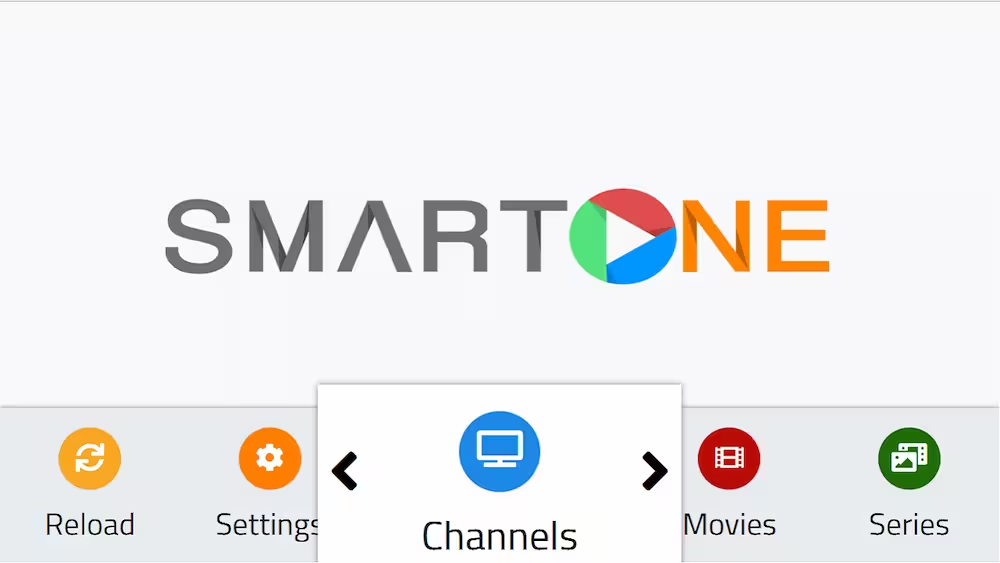
Clean Organization: Unlike messy apps, SmartOne categorizes everything: Live TV, VOD, Series, Radio, and even Catch-Up TV are all in dedicated sections.
-
Massive Playlist Support: It can handle heavy playlists (10,000+ items) without lagging—a common issue in other Smart TV apps.
-
Universal Format Support: Whether you have an M3U link, Xtream Codes, or even a Stalker Portal, SmartOne handles them all.
“If you have an M3U link but need a professional guide, use our [M3U to EPG Converter] to generate a custom XMLTV URL for SmartOne.”
How to Install SmartOne IPTV on Samsung and LG TV: The USB Method (For Samsung Tizen)
While the app is available on official stores, it might be hidden in certain regions. Manual installation via USB is a lifesaver.
How to Install via USB:
-
Download: Get the official
.zipfile from the SmartOne Support Page. -
Prepare USB: Extract the files and place them in the root directory of a FAT32-formatted USB drive.
-
Install: Plug the USB into your Samsung TV. The system will automatically detect the SmartOne plugin and begin the installation.
-
Note: Ensure your TV’s “Unknown Sources” setting is enabled in the security options.
💡 Pro Tip for SmartOne Setup!
Before adding your playlist to the SmartOne IPTV app, make sure to verify the link status. This helps you avoid the common “Failed to Load” error caused by blocked ports or offline servers.
SmartOne IPTV Pricing: Yearly vs Lifetime License: The Smart Way to Pay
The app is premium (offering a 7-day free trial), and the costs are very reasonable:
-
Yearly License: ~€2.50 per device.
-
Lifetime License: ~€11.00 per device.
💡 Pro Experience Tip: We highly recommend choosing the Yearly License. Why? Because technology moves fast. If you upgrade your TV or if a major OS update changes your device ID, you won’t lose a large investment. Keep it flexible!
Samsung Smart TV IPTV Setup Guide (2026) – Best Apps, M3U & Xtream Codes
Advanced Feature: Manage Multiple TVs from One Place
For users with multiple Smart TVs at home, SmartOne offers a high-level Centralized Management feature. By creating an account on the SmartOne official website, you can link several devices to a single dashboard.
-
Efficiency: Instead of configuring each TV individually, you can upload and update playlists for all your devices from one computer or smartphone.
-
Pricing: While the license is per device (MAC address), this dashboard makes managing your household subscriptions much easier. (Note: Check the “Services” section on their website for the most updated bulk management pricing).
Important: Managing Your Playlists
Here is a technical detail most people miss:
-
Uploading: You can add your playlists via the official website.
-
Editing/Deleting: You cannot delete or edit playlists via the website. This must be done directly through the app settings on your TV screen.
Frequently Asked Questions (FAQ)
No. SmartOne IPTV is strictly a media player. It does not provide any playlists, channels, or subscriptions. To use it, you must have your own M3U link or Xtream Codes from a third-party IPTV service provider.
Yes, SmartOne offers a 7-day free trial with full features enabled. This allows you to test the app’s performance and compatibility with your IPTV playlist on your Samsung or LG Smart TV before committing to a purchase.
Licenses in SmartOne are tied to the MAC address of the device. If you buy a new TV, the MAC address will change. This is why we recommend the Yearly License—it gives you the flexibility to move to a newer TV model or a different device without losing a significant investment.
In some regions, IPTV apps are restricted due to local store policies. If you cannot find SmartOne in the official Samsung or LG store, you can use the USB Installation method described in this guide to sideload the app manually.
SmartOne is known for its high capacity; you can manage multiple playlists through their official website dashboard. However, remember that you can only edit or delete these playlists from within the app settings on your TV.
Absolutely. SmartOne supports high-resolution streaming, including 4K and 8K, provided your IPTV server supports it and your internet connection is stable. For the best 4K experience, we recommend using a wired Ethernet connection.
The Verdict
SmartOne IPTV is a powerhouse for navigation and stability. However, remember that the app is just a “player”—the final quality of your image and the lack of buffering depend entirely on the quality of your IPTV server.
You can transfer your lifetime sub to another TV, I have done it, but I think only once if I remember correctly…I may be wrong