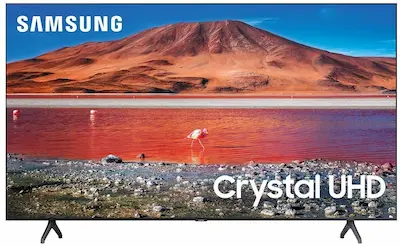
You can use IPTV on a Samsung Smart TV by installing a compatible player from Samsung Apps, then adding your provider’s M3U playlist or Xtream Codes login. This guide covers Samsung Tizen TVs step by step, including app availability, EPG setup, buffering fixes, and what to do when an IPTV app is missing from your region.
Before you start, you need a compatible IPTV player, a legal M3U or Xtream Codes source, and a stable internet connection. IPTV players do not provide channels by themselves
Quick Answer
To install IPTV on a Samsung Smart TV:
- Press the Home button on your Samsung remote.
- Open Apps or Samsung Apps.
- Search for a compatible IPTV player.
- Install and open the application.
- Add your provider’s M3U URL or Xtream Codes details.
- Add an XMLTV EPG URL if your provider supplies one.
- Refresh the playlist and guide.
App availability can vary by Samsung TV model, Tizen version, country, and Samsung account region.
Best Free IPTV Apps for Samsung Smart TV in 2026
Looking for a free IPTV app for your Samsung Smart TV? The best option depends on what you want to watch. Some apps let you load your own M3U playlist or connect using Xtream Codes, while others provide free, ad-supported live TV channels without requiring an external IPTV subscription.
Before choosing an app, remember that an IPTV player does not automatically include TV channels. You may need a playlist or login from a service you are authorized to use. App availability, pricing, and trial periods can also vary by country, TV model, and Samsung Tizen version.
1. Free IPTV Players or Apps With a Free Trial
These apps are designed for users who already have an IPTV playlist or account. Check the current listing in the Samsung Apps store before installing, because features and activation policies can change.
IPTV Smarters Pro
IPTV Smarters Pro is a popular option for beginners who want to organize their IPTV content in a familiar interface. Depending on the version available for your Samsung TV, it may support M3U playlists, Xtream Codes login details, and an electronic program guide (EPG).
- Best for: Beginners who want an easy-to-navigate IPTV interface.
- Playlist support: Check the features of the specific Samsung app version.
- Cost: Some versions offer a trial or limited free access, while others require activation or payment for continued use.
IPTV Smarters Pro is a player, not a TV channel provider. You must supply your own compatible playlist or authorized account.
SS IPTV
SS IPTV is an option worth checking if you want a player for loading and managing your own playlists. Its official website provides playlist-management information and instructions for supported devices.
- Best for: Users who prefer managing custom playlists.
- Playlist support: Check the current Samsung version and its supported playlist formats.
- Cost: Availability and features may depend on the version offered for your device.
Visit the official SS IPTV website for current information. Do not assume that every Samsung TV or regional app store offers the same version.
OTT Player
OTT Player is another name you may encounter when looking for a playlist-based TV player. Depending on the app version, playlist management may be available through a web interface or another supported method.
- Best for: Users who prefer organizing playlist links away from the TV keyboard.
- Playlist support: Verify M3U and other format support in the specific Samsung app listing.
- Cost: Check the current listing for any restrictions, trial conditions, or charges.
Make sure you select the intended application in the Samsung Apps store. App names and similarly named listings can differ, so verify the developer and official documentation before entering account information.
SmartOne IPTV and Smart IPTV
SmartOne IPTV and Smart IPTV are separate applications, not two names for the same app. They are established options for users who want to load their own playlists on compatible smart TVs.
- Best for: Users who want a dedicated IPTV player.
- Features: Playlist loading and other functions depend on the specific app and TV version.
- Cost: These apps may offer a limited trial before requiring activation or payment.
Check the official app information for the exact trial length, activation fee, supported formats, and EPG features before choosing one.
Which playlist format should you use?
If your IPTV provider supplies an M3U URL, choose a player that supports M3U. If the provider gives you a server URL, username, and password, look for Xtream Codes API support. EPG support is useful when you also want program schedules, but you may need a separate XMLTV EPG URL.
For help understanding these formats, see our guide to adding an EPG URL to your IPTV player.
2. Free Legal Live TV Apps With Built-In Channels
If you want to watch free TV without entering an M3U playlist or an IPTV subscription login, consider legal streaming services that provide their own content. These services are different from IPTV players: the channels and programs come from the service itself.
Availability depends on your country, Samsung TV model, and the apps offered in your regional store.
Samsung TV Plus
Samsung TV Plus is Samsung’s free, ad-supported streaming service. On supported TVs in supported regions, it provides live channels and on-demand content without a separate paid subscription.
- Best for: Users who want to start watching free channels without configuring a playlist.
- Setup: Look for Samsung TV Plus in your TV’s Home screen or Apps menu.
- Cost: Free, with advertising.
- Availability: Not every country or Samsung TV model is supported.
Check Samsung’s official TV Plus information to see whether the service is available for your device and region.
Pluto TV
Pluto TV offers free, ad-supported live channels and on-demand entertainment in supported markets. If the app is available in your Samsung TV’s regional store, you can install it and browse its available content without adding an external M3U playlist.
- Best for: Users who want a selection of free live channels and on-demand programs.
- Cost: Free, with advertising.
- Availability: Content and supported regions vary.
Check the official Pluto TV website and your Samsung Apps store for current availability.
Tubi
Tubi is a free, ad-supported streaming service offering movies, TV shows, and other content in supported countries. Its app is available on compatible Samsung Smart TVs in certain markets.
- Best for: Users who want free movies and on-demand entertainment.
- Cost: Free, with advertising.
- Availability: Varies by country and device.
Visit Tubi’s official website to check whether the service is available in your region.
Xumo Play
Xumo Play offers free, ad-supported streaming content, including live channels and on-demand programs. It supports selected Samsung TVs, but availability can differ by market and model.
- Best for: Users looking for another free streaming option.
- Cost: Free, with advertising.
- Availability: Check the Samsung Apps store and the service’s supported-device information.
Visit Xumo Play for current information.
Which Free IPTV App Should You Choose?
The right choice depends on whether you want to load your own playlist or watch channels supplied by a streaming service.
| Your goal | Option to check |
|---|---|
| Load an M3U playlist | SS IPTV or another compatible M3U player |
| Use Xtream Codes login details | A compatible version of IPTV Smarters Pro or another player that explicitly supports Xtream Codes |
| Try a dedicated IPTV player | SmartOne IPTV, Smart IPTV, or another app offering a trial |
| Watch free live TV without an external playlist | Samsung TV Plus, Pluto TV, or Xumo Play where available |
| Watch free movies and on-demand content | Tubi or another supported free streaming service |
How to Install a Free IPTV App on Samsung Smart TV
- Press the Home button on your Samsung remote.
- Open Apps or the Samsung Apps store.
- Search for the app by its exact name.
- Check its developer, supported features, price, and trial conditions.
- Select Install, then open the app.
- If you chose a playlist-based player, follow its instructions to add your own compatible M3U URL or Xtream Codes details.
- If you chose a service with built-in channels, open the service and follow its on-screen setup instructions.
If an app does not appear in the store, it may not support your TV model or regional store. Do not assume that an app available on Android TV is also available on Samsung Tizen.
IPTV on Samsung Tizen OS
Unlike standard Android boxes, modern Samsung Smart TVs run on Tizen OS, a proprietary operating system developed by Samsung.
The Samsung Tizen IPTV ecosystem has grown significantly, allowing you to download native, certified IPTV players directly from the official store. However, because it is not Android, you cannot install .apk files directly. Compatibility varies slightly depending on your TV’s manufacturing year; newer Tizen versions support a wider variety of modern apps, while older legacy models might be restricted to lighter apps.
Essential Requirements for Samsung Smart TV IPTV
Before diving into the installation process, you need to ensure you have the right setup ready. Here is exactly what you need to successfully stream IPTV on your Samsung device:
- Compatible Samsung Smart TV: Your device must run on Tizen OS (which is standard on most modern Samsung TVs) and be connected to your home network.
- Active IPTV Subscription: You will need a valid account from a reliable third-party IPTV service provider to access live channels and VODs.
- Playlist Credentials: Your provider must supply you with either an M3U URL or Xtream Codes API details (Username, Password, and Server URL) to link your account.
- Stable Internet Connection: A minimum speed of 15 Mbps is required for buffer-free HD streaming, though 25 Mbps or higher is highly recommended if you plan to watch 4K content.
- Dedicated IPTV Player: You need to download a certified Samsung IPTV App directly from the Smart Hub (such as SmartOne IPTV, IBO Pro Player, or IPTV Smarters Pro).
Best IPTV Player for Samsung Smart TV: Quick Comparison
Finding the right Samsung IPTV App depends on your specific needs, budget, and the size of your playlist. Below is a quick comparison of the top-rated apps available on the Samsung store.
| App Name | Price | M3U Support | Xtream Codes | EPG Support |
| SmartOne IPTV | €2.5/year – €12.99/lifetime | Yes | Yes | Yes |
| IBO Pro Player | €9.99 Lifetime | Yes | Yes | Yes |
| IPTV Smarters Pro | Free / Premium | Yes | Yes | Yes |
| Net IPTV | Paid (Varies) | Yes | Limited | Yes |
Which IPTV App Is Best for Samsung Smart TV?
If you are confused by the options in the table above, here is our quick recommendation based on different user needs:
- For Beginners → IPTV Smarters Pro: It offers the most intuitive layout, neatly categorizing your content into Live TV, Movies, and Series.
- For High Performance & Large Playlists → SmartOne IPTV: If your provider gives you a massive playlist (e.g., 20,000+ channels), SmartOne handles it without lagging or crashing.
- For Older Devices → Net IPTV: A lightweight, straightforward application that focuses purely on delivering a clean stream, making it perfect for older TV models with limited RAM.
Detailed Look at the Top Apps
1. SmartOne IPTV
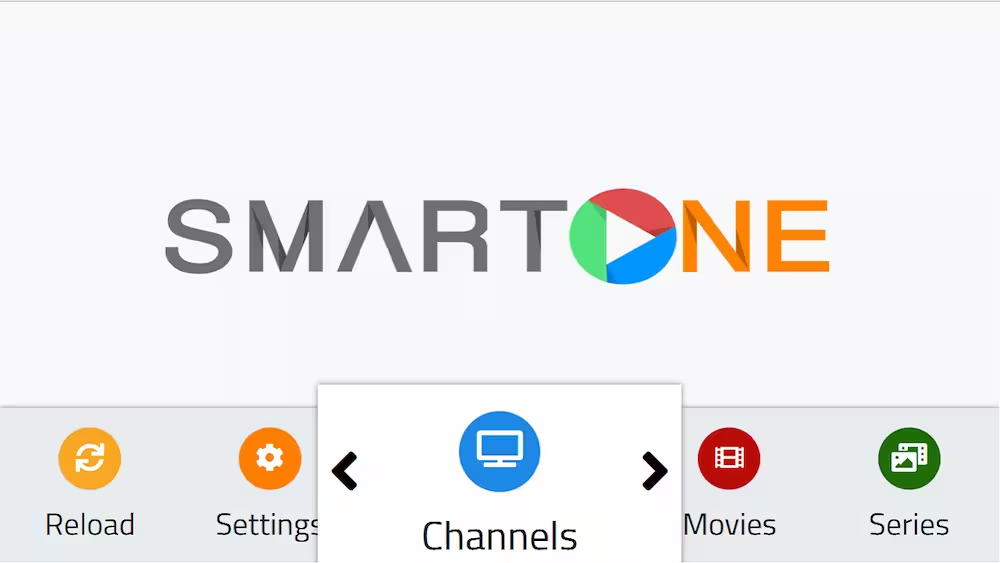
The SmartOne IPTV Samsung app is highly recommended for users seeking performance and affordability.
- Pricing: Just €2.5 per year.
- Performance: Handles massive playlists effortlessly.
- Setup: Upload your playlist directly via their official web portal using your TV’s MAC address, saving you from typing long URLs.
2. IBO Pro Player
- Pricing: One-time lifetime activation fee of €9.99.
- Setup: Available in the store for certain Samsung models. Links can be added via their web portal or manually typed on the TV interface.
3. IPTV Smarters Pro
When it comes to familiar and user-friendly interfaces, the IPTV Smarters Samsung TV setup is a classic. It remains one of the most widely used IPTV players globally due to its elegant design and easy navigation. (Note: Availability may vary by region).
4. Net IPTV
A MAC-address-based application that is perfect for older or lower-spec Samsung TVs. It is simple, reliable, and focuses purely on live streaming and VOD access.
How to Install IPTV on Samsung Smart TV
Step 1: Download the App from the Store
- Press the Home button on your Samsung remote.
- Navigate to and open the Samsung Smart Hub.
- Select Apps.
- Use the search icon to browse the Samsung Smart Hub IPTV catalog for your preferred app (e.g., SmartOne, IBO Pro).
- Select the app, click Install, and wait for the process to finish.
Step 2: Add Your IPTV Subscription
Once installed, open the app. You generally have two ways to log in:
- Method A: Using Xtream Codes API (Recommended)Enter the details provided by your IPTV host: Username, Password, and Server URL, then click Login.
- Method B: Using an M3U LinkPaste the long M3U URL provided by your service into the designated field.
Alternative Setup: Uploading via a Web Portal
For apps using MAC address pairing (like SmartOne or Net IPTV):
- Open the app on your TV and note down the MAC Address.
- On your phone/computer, go to the app’s official website.
- Enter your MAC address, paste your M3U link, and click Upload.
- Restart the app on your TV to load the channels.
Troubleshooting Common IPTV Issues
- Channels Are Not Working: Your subscription might have expired, the M3U link is invalid, or the provider’s servers are down.
check your iptv m3u with our free iptv checker pro
- Black Screen During Playback: Restart the application, update the TV software, or try an alternative IPTV player.
- EPG (TV Guide) Is Missing: This is usually an issue with the provider’s EPG link. Ensure they have provided a valid XMLTV link.
- The App Is Missing from the Store: Due to regional restrictions, some apps aren’t available everywhere. Changing your TV’s region settings or using an external Android Box are excellent workarounds.
(FAQ)
Some players may be free to use, but others offer only a trial or require activation. If you want free channels without adding your own playlist, check Samsung TV Plus, Pluto TV, Tubi, or Xumo Play where available.
Usually, no. Playlist-based players generally provide the interface for playing content; you need a compatible playlist or authorized account. Services such as Samsung TV Plus and Pluto TV supply their own content.
Yes, if the specific player supports the format provided by your service. Check the app’s current feature list before installing it.
Availability can depend on the TV model, Tizen version, country, and Samsung account region. Search the store on the TV itself and consult the app developer’s compatibility information.
No. Services and channel lineups vary by region. Check the official service website and the Samsung Apps store for your country before relying on a particular app.


SmartOne IPTV